


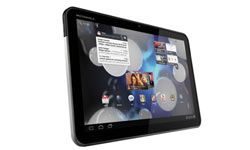
The tablet space has exploded since Apple dropped the original iPad in 2010. Sure, it wasn’t the first slate computer. But its clean lines and aggressive marketing turned it into the definitive must-have gadget of that era. The massive sales of the iPad and iPad 2 didn’t just sell hardware. They established tablets as the fastest-growing slice of the personal computer market.
Today, you’re staring down a dozen manufacturers and scores of models. Choice is good. It’s also paralyzing. How do you filter the noise and pick a device that actually serves you?
Stop guessing. Start with these five tips.
5: Define Your Actual Workflow
If your entire digital life involves scrolling through news feeds, checking email, and streaming Netflix, then almost any tablet will suffice. Heck, a modern smartphone can handle those tasks.
But most people have a more complex relationship with technology. You need to dissect your usage patterns before you spend a dime.
Ask yourself the hard questions. Is this device replacing your laptop? Or is it a companion piece? Do you plan to edit documents, run CAD software, or just consume media? Are you buying this for a student who needs to write papers, or a parent who wants to play Angry Birds with their kids?
Your answers dictate the hardware.
If you’re a power user, you’ll need processing power and RAM that a budget media consumer doesn’t. If you’re a traveler, screen size and battery life become paramount. If you’re a creative, stylus support and color accuracy matter more than raw gaming performance.
Make a list of your top three non-negotiable tasks. Keep that list on your phone. Reference it every time you look at a spec sheet. It cuts through the marketing fluff.
4: Compare Apps and Operating Systems
This is where most buyers get tripped up. They look at the screen size or the camera megapixels and ignore the ecosystem.
An operating system is just a platform until it has software. And software availability varies wildly depending on which camp you join.
The iPad runs iOS (or iPadOS). The app store is curated. Apps are generally higher quality because developers have a single, consistent hardware target. If you want the best creative tools—like Procreate or LumaFusion—this is your lane. The trade-off? You’re locked into Apple’s walled garden. File management is restrictive. You can’t just drag and drop files like you do on Windows.
Android tablets run Android. It’s more fragmented. Samsung, Lenovo, and others tweak the interface. The upside? Openness. You can sideload APKs. You can connect USB drives easily. The downside? The app quality can be spotty. Many Android apps are just blown-up smartphone versions, not optimized for the large screen.
Windows tablets (like the Surface line) run full Windows. They aren’t really tablets in the traditional sense. They’re laptops with touchscreens. You can run any desktop application. Excel, Photoshop, full Chrome. But they often suffer from poor battery life and a user interface that feels clunky on a touchscreen.
Which operating system fits your workflow?
If you want simplicity and app quality, iOS wins.
If you want
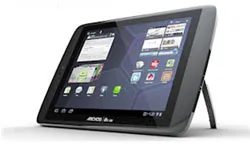

The first hurdle is picking an operating system. You have Android, Windows, and Apple’s iOS. Then there’s the BlackBerry PlayBook running QNX, a niche OS from Research in Motion. iOS stays locked to iPads. QNX stays on the PlayBook. Android and Windows are the wildcards. They show up on devices from dozens of different makers.
If your main goal is heavy lifting—creating documents, manipulating spreadsheets—a Windows tablet makes sense. You can read Word files on an iPad easily enough. Editing them? You need a paid app like Quickoffice. The process feels clunky. Android tablets running version 3.0 (Honeycomb) handle Office files too. But only with paid apps like Documents To Go 3.0. That software lets you create, view, and edit Word docs, Excel sheets, and PowerPoint slides.
Gaming and media playback still favor the iPad. But the gap is closing. Android tablets like the Samsung Galaxy and Motorola Xoom match or beat the iPad’s screen resolution and processing speed. Apple’s undeniable lead remains its App Store. It offered over 140,000 apps as of November 2011. Know which programs you need for work or school before you buy. Check availability.
Compare Features Across Manufacturers
Once you pick an OS, the choices narrow. If you went iOS, the list is tiny. If you went Android or Windows, it’s longer. Now you compare features.
Even with the iPad 2, you have options. Standard Wi-Fi models need a Wi-Fi network. 3G models connect via cellular when Wi-Fi isn’t there. Storage choices are 16GB, 32GB, or 64GB. Colors are black or white. Screen size is identical. Cameras are front and rear for photos and video. Everything else is the same.
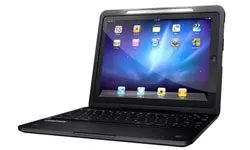
Android and Windows tablets vary wildly. Look at battery life. Check Wi-Fi versus 3G or 4G access. Compare storage capacity. Note processing speed. Don’t ignore extra features. Cameras matter now. Many tablets have front and rear cameras. Front cameras help with Web chats. Rear cameras take the picture. Accessories add utility. Stands. Wall mounts. Remote controls. Speakers. Full external keyboards. These turn tablets into media centers or workstations.
Compare Size and Appearance
If you’ve only researched online so far, go touch the devices.
The Weight of Decision
Online specs lie. They look clean in a browser, but they don’t tell you how the aluminum feels against your palm when you’re standing in line at the grocery store. You need to hold it.
Even if you’re 90% sure you’ll buy that 10.5-inch Pro model from your couch, go to the Apple Store. Or the Best Buy. Or the independent electronics shop that actually knows how to fix things when things break. You need to see the tablet.
Think about the physical reality of your life before you walk in. Do you want the biggest screen money can buy? Or do you need something that slides into a purse without causing back pain? Is this for rugged field work? Or is it just going to get dropped by a toddler while learning the letter “A”?
Screens range from 7 inches to roughly 10 inches. Weights swing from under a pound to over 2.5. The sweet spot is usually where you pick it up and think, “Yeah. That works.”
Hands-On Diagnostics
Put it in your hand. Close it. Open it.
Does the case feel cheap? Do the buttons click with satisfying resistance or do they feel mushy? Tap the screen. Is there lag? That split-second delay between your finger and the pixel? If you’re typing, look at the virtual keyboard. Is the travel good? Is the layout intuitive?
If possible, stand two models side-by-side. Compare brightness. Check resolution. One might look vibrant in the store lighting and washed out at home. You don’t want to get tricked by showroom lights.
Once you pick a winner, or narrow it down to two contenders, there is one final, expensive trap to avoid.
The Hidden Cost of Entry
Budgeting for a tablet is rarely just about the sticker price on the box.
If your favorite model fits your budget, great. But often, you’re torn between the device you need and the one you want. Don’t just compare the headline price. Compare the total cost of ownership.
You are comparing apples to Androids if you ignore these variables:
- Storage: Does it come with 64GB or 256GB? Upgrading storage later can double the price.
- Processing Speed: A faster chip costs more now but lasts longer.
- Internet Access: Do you need Wi-Fi only? Or cellular? 3G/4G access requires a monthly data plan. In many cases, this means a long-term contract with a carrier.
- Accessories: You might need a case. A keyboard. A stylus. Those add up.
- Software: Do you need paid apps immediately? Or can you start free?
- Warranty: What does it cover? And for how long?
Before you sign any contract or open any box, check objective reviews for reliability data. Not the hype. The data.
Check online reviews from sources that don’t rely on ad revenue from the manufacturer. Look for stability reports. Look for failure rates. A tablet that is cheap upfront but breaks in six months is not a bargain. It is a waste.
Find the right balance. Your hands will thank you.


