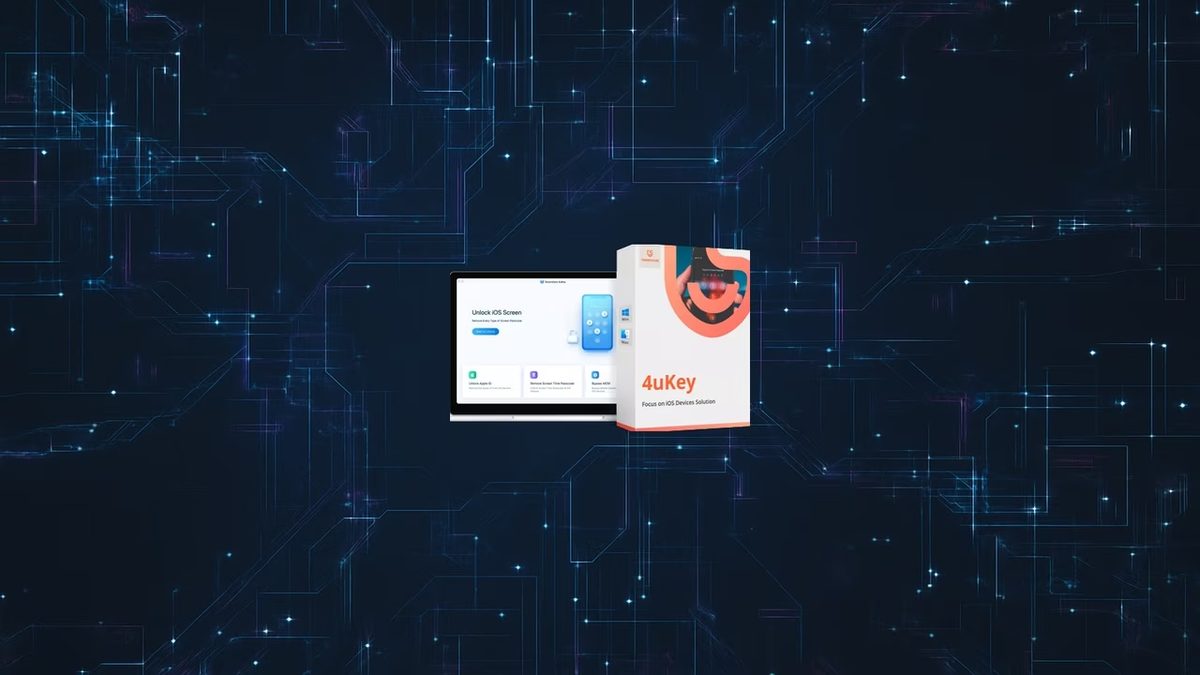
Most people know the drill. You stare at a black screen. You have a forgotten passcode. Your iPhone is effectively a brick. You are stuck. Tenorshare 4uKey exists for that exact moment of panic. It is a utility designed to strip away access barriers on Apple devices. It handles forgotten iPhone, iPad, or iPod Touch codes. It also tackles the harder problem of the Apple ID lock. This is the scenario where you simply cannot get in.
The tool targets everyone. Regular users who just messed up their PIN. IT admins helping a blocked employee. Techs fixing a secondhand device. The big selling point is the bypass. It works without knowing the original code. Four digits? Six digits? Custom alphanumeric? It handles them. It even tackles biometric locks like Face ID and Touch ID.
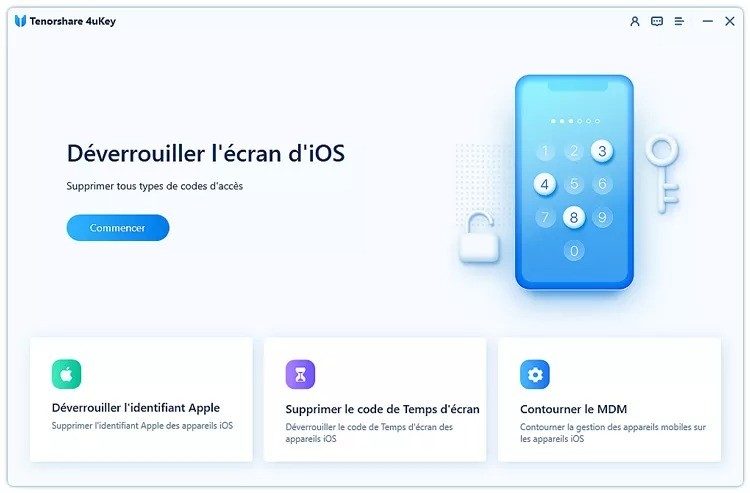
The interface is clean. That is intentional. It keeps things simple for non-experts. Connect your device. Follow the on-screen prompts. Let the software run. It also removes MDM restrictions. That is Mobile Device Management. You know, the corporate control layer. This makes recovering a used or work-issued iPhone much easier.
Tenorshare 4uKey allows you to bypass various types of locks without prior knowledge of the code.
There are extra tools too. You can manage Apple IDs. You can delete them. You can tweak recovery mode settings. This helps when iOS updates fail. It helps with unexpected software crashes. The goal is to avoid a full factory reset if possible. You might save some data. You might not. The responsibility lies with the user. You need to ensure you own the device. Privacy matters.
Compatibility and Installation Guide
Windows or Mac. The software covers both. You need a computer to run it. It does not run on the iPhone itself. Apple’s security policies would never allow that. There is no standalone iOS version. There is no Android version. There is no Linux version. You must use a Windows or macOS machine.
For Windows, it supports everything from the old Windows 7 up to the latest Windows 11. For Mac, it works with various macOS iterations. MacBook users. iMac users. Mac Mini owners. Everyone gets the same feature set. The coverage is broad.
How do you get it? You go to a reliable platform. Futura Sciences is one option. They offer direct downloads for Windows and Mac. The process is quick. Download the installer. Open it. Click through the prompts. Accept the terms. Install it on your drive. It takes a few minutes.
Do you need advanced tech skills? No. There are no complex prerequisites. You just need an internet connection. This validates the license. It also downloads the latest installation files. You want the most current version.
Updates matter. Tenorshare 4uKey checks for new versions automatically. You can also force an update manually. Go to the developer’s site. Or use a trusted third-party platform. Download the latest build. This ensures compatibility. Apple changes its OS constantly. The security layers shift. You need a tool that keeps up. Otherwise, it fails.
This constant updating guarantees performance over time. You are not using a dead tool. You are using a live solution. That is what keeps it relevant in a market where Apple locks things down tighter every year.
You can’t just download Tenorshare 4uKey and expect it to work for free. The company doesn’t offer a fully functional free version for unlocking. Instead, they push you toward a paid license. This isn’t unusual in the mobile repair space, but it does mean you’re paying for access. The pricing structure is tiered. You get monthly subscriptions, annual plans, or one-time lifetime licenses. Each option unlocks the same core features. The difference is just how long you keep them.
Prices shift. Tenorshare runs promotions. Partners sell discounts. Students might find academic rates. You have to check the official site to see what’s currently available. Don’t assume the listed price is the final price.
Which Tenorshare 4uKey License Should You Buy?
The choice depends on urgency. If you need to fix a device today, a monthly or lifetime license makes sense. If you’re an IT pro managing a fleet of iPads, you’ll want the enterprise packs. These include priority support and automatic updates. For the average user, a lifetime license is often the safer bet against future price hikes.
Payment is standard. Credit cards. PayPal. The process is secure. You get the license key immediately. No waiting. But remember, the trial version is just that—a trial. It lets you see the interface. It detects lock states. It simulates the process. It does not actually remove the passcode. You cannot bypass the paywall with the free version. Period.
Accessing Older Tenorshare 4uKey Versions
Sometimes the newest version breaks things. Apple updates iOS frequently. A new OS release can render older unlocking tools useless. Or, conversely, a new update might introduce a bug that crashes the software on your specific hardware. In these cases, users hunt for older versions of 4uKey.
You can find these archives on the official developer site or through third-party software repositories. Why do this? Maybe your Mac is too old for the latest framework requirements. Maybe you need a specific legacy driver. But there is a risk. Older versions lack the latest security patches. They might be slower. They might fail on newer devices.
Stick to the latest release unless you have a specific compatibility issue. Security and efficiency matter more than nostalgia.
If you do go back, do it cautiously. Verify the source. Ensure the file hasn’t been tampered with. For professional IT environments, staying current is non-negotiable. You need the latest bug fixes. You need support if things go wrong. Enterprises get multi-user licenses. They get dedicated help lines. They get automation.
Using Tenorshare 4uKey Responsibly
This software is powerful. That’s the point. It wipes screens. It resets locks. It gives you access to devices you shouldn’t have. This creates a massive ethical boundary. You must own the device. Or you must have explicit permission from the owner. That’s not just a suggestion. It’s the law in many jurisdictions.
When does this happen in the real world? You forget your iPhone passcode. You buy a used iPad on Craigslist and find it’s still tied to the previous owner’s Apple ID. The device bricked itself after a failed iOS update. These are the valid use cases.
Privacy remains intact in a strange way. The tool doesn’t give you back your photos or messages if they are encrypted. Apple’s security model is robust. Wiping the passcode usually wipes the data too. The phone goes back to factory settings. You lose everything on that device if you didn’t have a backup. This is a feature, not a bug. It protects your data from thieves.
Tenorshare 4uKey Alternatives and Learning Resources
If 4uKey isn’t your thing, there are other players. The market is crowded. iMyFone LockWiper is one. Dr.Fone – Screen Unlock is another. PassFab iPhone Unlocker rounds out the big names. They all do similar things. They all claim higher success rates. They all have different user interfaces.
Compare them. Look at compatibility. Which iOS versions do they support? How easy is the UI? Does it require technical knowledge? There’s no single “best” tool. It depends on your device model and your comfort level with technology.
For those who want to master these tools, formal certification from Tenorshare doesn’t currently exist. You won’t get a diploma. But you can learn. The company provides detailed guides. Video tutorials. A FAQ section. These are starting points.
Real knowledge comes from the community. Apple-specific forums. IT support boards. Reddit threads. Users share their horror stories and their successes. They explain why a certain method failed. They link to workarounds. This crowd-sourced intelligence is invaluable. It helps you navigate the technical glitches. It helps you avoid wasting time.
The landscape changes weekly. New iOS updates drop. New jailbreaks emerge. New tools appear. What works today might be obsolete tomorrow. Stay adaptable. Verify your sources. And always, always respect the ownership of the hardware you’re touching. Because if you don’t, the legal repercussions can be far more expensive than a software license.
You can’t just download Tenorshare 4uKey and hit run. Not really. It’s not a magic wand you wave over your iPhone from the couch. It’s a desktop utility. That means your computer does the heavy lifting. Your device just sits there, waiting.
Before you commit to the download, check the specs. Seriously. You want to avoid the “it doesn’t work on my end” panic. The tool is designed to strip away iOS and iPadOS locks. Screen codes. Face ID. Touch ID. Even MDM profiles. But it needs a host machine to think for the chip.
How to get Tenorshare 4uKey running on your PC or Mac
First, look at your operating system. The software isn’t a mobile app. You can’t install it on your phone. It lives on Windows or macOS.
If you’re on Windows, you need 7, 8, 8.1, 10, or 11. Older hardware might struggle with the newer builds, but the OS support is broad. If you’re on a Mac, it works on both Intel chips and the new Apple Silicon M1/M2/M3 processors. That’s important. Some older unlocking tools broke when Apple changed their silicon. This one didn’t.
You need admin rights. Standard user accounts won’t cut it. The installer needs to hook into deep system drivers. Specifically, Apple Mobile Device Support. If you have iTunes installed, you’re probably good. If you’re on a modern Mac, it’s built-in. If not, you might need to grab the standalone components from Apple.
What hardware do you actually need?
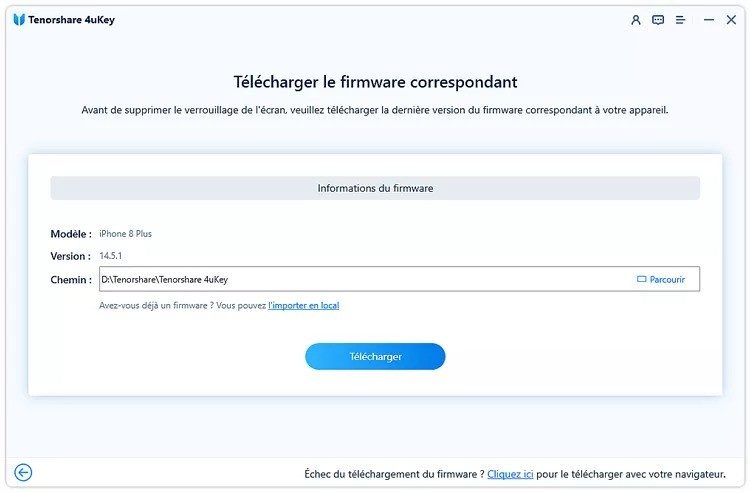
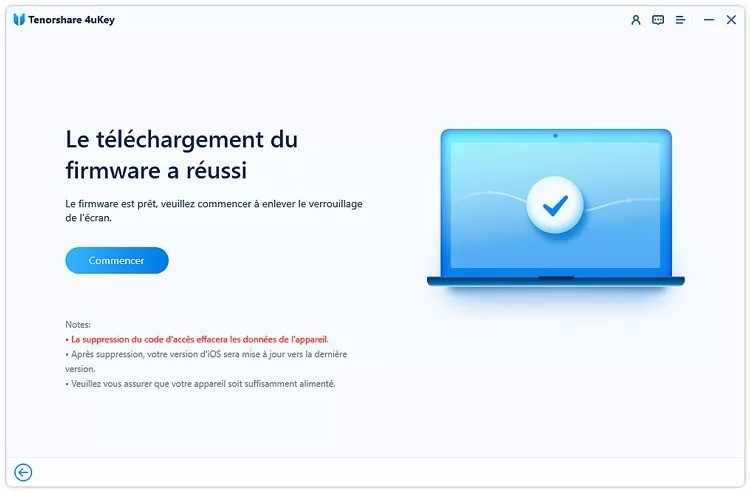
A standard office PC is fine. You don’t need a gaming rig. But you do need a decent connection. Why? Because the tool has to download firmware files. These are IPSW files. Official Apple firmware. They aren’t small.
Depending on your region and the iOS version targeted, these files can be huge. Gigabytes, sometimes. You need enough disk space to hold them temporarily. The installer size itself varies by platform and version, but the firmware download is the real space hog.
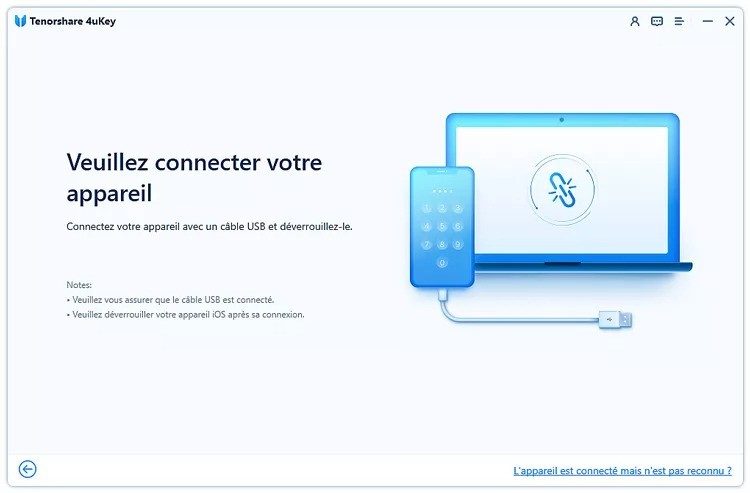
And the cable. Don’t use a cheap gas station USB cord. Use a reliable Apple cable or a high-quality MFi-certified alternative. If the connection drops mid-process, you could brick your recovery mode. That’s worse than being locked out.
Security and data privacy concerns
Here is where people get nervous. And they should. But the fear is misplaced.
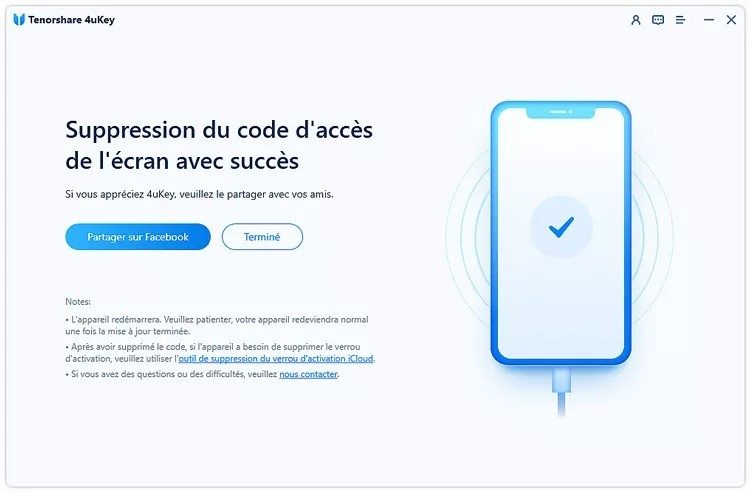
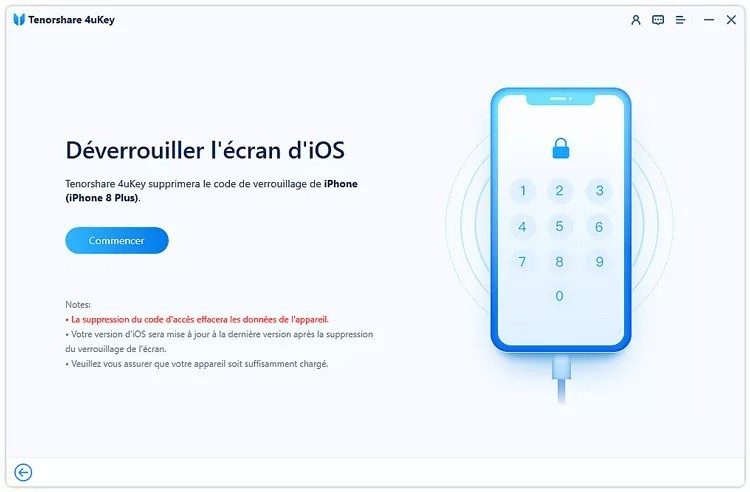
Tenorshare 4uKey does not break iOS encryption. It doesn’t crack your personal data. If you have a passcode you forgot, the tool bypasses the lock screen. It often wipes the device in the process. That’s the trade-off. You get access back. You lose your local data.
For MDM (Mobile Device Management) bypasses, the outcome depends on the scenario. Some profiles can be removed without a full erase. Others require a factory reset. The tool handles the DFU and Recovery modes. It guides you through the Apple-specific boot sequences that are usually a nightmare to navigate manually.
The license is commercial. There is a free trial. It lets you see if it works. It lets you test the interface. But to actually unlock the device and keep the result, you pay. The interface is multilingual. French, English, and several others. No need to struggle with broken English instructions if you’re more comfortable in your native tongue.
Why these specs matter for your unlock success
Most people fail because they skip the prep. They plug in the phone. They click “Start.” They get an error code about missing drivers. They blame the software. Usually, it’s iTunes. Or the cable. Or the USB port.
By checking the system requirements first, you eliminate the variables. You have the right OS. You
The hidden cost of cloud sprawl and why legacy systems are still alive
You don’t have to look far to find a server room that looks like a museum exhibit.
Blinking lights. Humming fans. Cables taped to desks. It’s easy to mock the old guard. But here’s the thing: those legacy systems aren’t dead because they’re bad. They’re still running because they work. They handle the transactions that keep the lights on in hospitals, banks, and logistics hubs. You don’t touch what ain’t broke. Even if “what” is COBOL code written in 1985.
The problem isn’t the technology itself. It’s the silence around it.
When the experts who built these systems retire or pass away, their knowledge goes with them. No documentation. No comments in the code. Just a black box that runs on prayer and spare parts. This is where the real danger lies. Not in the code, but in the who.
We’ve spent the last decade obsessed with the shiny new toy. Kubernetes. Serverless functions. Edge computing. All acronyms that sound like progress. But progress without foundation is just a faster way to crash.
The vendor lock-in trap
Let’s talk about money.
Moving data isn’t just about bandwidth. It’s about trust. And trust is expensive.
Most enterprises don’t leave cloud providers because they can’t. They stay because the exit cost is a budget-killer. Egress fees. Re-architecture time. Downtime risks. It’s a golden cage. You get the scalability you want, but you lose the sovereignty you need.
This isn’t a conspiracy. It’s just economics. And it’s creating a new kind of technical debt. Not just in code, but in strategy.
How to untangle the knot
So, what’s the move?
It’s not about ripping and replacing. That’s a myth sold by consultants looking for a paycheck. It’s about modularity.
Start small.
- Identify the core monoliths.
- Break them into microservices that can breathe independently.
- Use sidecar patterns for logging, security, and monitoring without touching the main logic.
- Test failures. Intentionally. Break things on purpose so you know how they heal.
This isn’t rocket science. It’s discipline.
“If you can’t measure it, you can’t manage it. If you can’t isolate it, you can’t fix it.”
The best teams I’ve worked with didn’t start with a perfect architecture. They started with a willingness to fail fast. They broke things. They learned. They rebuilt.
The goal isn’t perfection. It’s resilience.
Why this matters for your next hire
You’re looking for engineers who understand why the system is complex, not just how to code around it.
The juniors can write the syntax. The seniors know which buttons to push to make it stop screaming.
It’s a subtle difference. But it’s the difference between a product that scales and a product that burns cash.
We’re moving toward a world where infrastructure is invisible. That’s the promise. But invisibility has a downside. When everything works, no one notices. When everything breaks, everyone panics.
The engineers who thrive aren’t just coders.