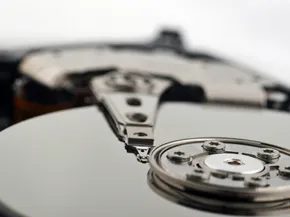
Hard drives are essentially mechanical clocks with a data storage twist. They rely on magnetic platters spinning at high speeds, while a read/write arm hovers just microns above the surface. This arm, driven by an actuator, accesses data with terrifying precision. The clearance is so narrow that a single speck of dust can interrupt the process. If that precision fails, the entire drive fails.
The Fragility of Mechanical Components
The internal components—spindle motors, ball bearings, and circuit boards—are prone to wear and tear. The most catastrophic scenario is a head crash. This occurs when the read/write head physically touches the platter. The friction scrapes away the magnetic coating where data resides.
A head crash usually means total, permanent data loss for the affected sectors.
While data on undamaged parts of the platter might theoretically survive, files are often fragmented across the disk. A head crash typically destroys everything. Recovering from other mechanical failures is a mixed bag. It is a curse because replacement parts are scarce and repair specialists are hard to find. It is a blessing because the platters themselves may remain intact. If you can get the spindle spinning and the actuator moving again, your data might still be there.
Logical Corruption and Connection Issues
Not all failures are physical. Your operating system relies on a specific file structure and index to locate files. If this index becomes corrupted, the computer loses its map to the data. The files are still on the disk, but the system cannot see them. Software tools can sometimes repair this, but it is tricky work.
There is another insidious type of failure where the drive is fine, but the computer thinks it is dead. Hard drives connect to the motherboard via interfaces like IDE, PATA, or SATA. If the cable fails or the disk controller on the motherboard breaks, the symptoms mimic a broken drive. You might see error messages or missing drives, but the hardware inside the casing is healthy.
Recognizing the Signs
Understanding these failure modes is the first step in prevention. The next section will cover the warning signs that indicate a drive is about to give out.