
It feels like a cold war between two superpowers. Microsoft and Apple are locked in a trench fight for the operating system battlefield, and they want you to believe there are no other options. Their ad campaigns scream that you either buy into the Windows ecosystem or the Apple walled garden. But there’s a third group. A small, stubborn minority of rebels who know better. They aren’t looking at the glossy brochures. They are looking at Linux.
Linux isn’t just another brand. It’s a philosophy wrapped in code. To understand why it matters, you have to peel back the layers of what an operating system actually does.
The Operating System Explained Simply
Think of your computer’s hardware as a chaotic mess of wires, chips, and electricity. It’s too complex for a normal person to manage directly. An operating system acts as the supervisor. It sits between you and the metal. When you double-click an app, the OS monitors the resources. It allocates processing power and memory. It makes sure the program doesn’t eat all the RAM and crash the system.
Without an OS, software developers would have to write code to talk directly to hardware components. That’s a nightmare of compatibility issues. The OS standardizes that interaction. It makes software development possible.
What “Open Source” Actually Means
Here is where the rubber meets the road. Windows and macOS are compiled. This means the code developers write is translated into a binary format. Machines love this format. It’s efficient. It’s fast. Humans? Humans hate it. It’s dense. It’s opaque. You cannot look at compiled code and easily understand how the system works. It’s a black box.
Linux is different. It is open source.
This means the source code—the actual instructions written by humans—is public. Anyone can download it. Anyone can read it. It’s written in programming languages that humans can understand if they take the time to learn them.
The benefit? Transparency. And control. If you spot a bug in Linux, you don’t just complain on Twitter. You can write code to fix it. You can contribute back to the community. The same goes for features. If you need a function that doesn’t exist, you can build it. You aren’t waiting for a corporation to decide if your idea is profitable enough to implement.
You could even take the Linux kernel—the core foundation—and build your own operating system from scratch. Most of them aren’t ready for prime time, but the potential is there. This brings us to Ubuntu.
Ubuntu Basics: The User-Friendly Rebel
Ubuntu is a distribution, or “distro,” of Linux. In Linux terminology, a distribution is a complete package that includes the Linux kernel plus a suite of software and tools. There are hundreds of Linux distros. Some are for hackers. Some are for servers. Some are barely maintained.
Installing a bare-bones Linux distro can be terrifying for the average user. The support forums are deep, the documentation is fragmented, and one wrong command can break your system. That’s where Ubuntu steps in.
Ubuntu is distributed by Canonical, a company founded by Mark Shuttleworth. Canonical’s mission is interesting. They provide the software for free. But their business model relies on commercial support. They help companies design efficient systems. They manage the enterprise versions. For you, the end-user, this means Ubuntu is free to download and install, but backed by a corporation that has a vested interest in it working correctly.
Getting Ubuntu is straightforward. Go to the Ubuntu website. Download the ISO file. Put it on a USB drive or CD. Boot your computer from that drive.
Try Before You Buy (Or Replace)
One of the best features of Ubuntu is the “Live” environment. You don’t have to install it immediately. You can boot from the USB and run the entire OS from memory. It runs side-by-side with Windows or macOS for as long as you like.
No commitment. No risk. You can test the interface, check hardware compatibility, and see if you like the look and feel. If you decide to go for it, you can install it to run alongside your current OS. Or you can wipe the slate clean. Break up with your current OS. Start fresh. There are even virtualization options to run Ubuntu inside Windows if you just want to dip a toe in.
Beyond Personal Computers
Ubuntu isn’t just for laptops and desktops. There is a server version. If you want to turn a pile of hardware into a network server, Ubuntu Server is free. It lacks the graphical desktop interface, focusing instead on performance and stability. You can buy physical CDs from Canonical to speed up deployment, or just burn your own discs after downloading the ISO. It’s the same code, just stripped down for a different job.
Ubuntu Versus Linux: The Distinction
So, is Ubuntu Linux? Yes. Is Linux Ubuntu? No.
Linux is the kernel. It’s the engine. Ubuntu is the car that comes with the engine, the seats, the radio, and a warranty. You can build your own engine. Most people don’t. They buy the car. Ubuntu is that car. It takes the raw power of the open-source Linux kernel and wraps it in a package that is accessible, supported, and ready for everyday users who want to opt out of the Microsoft-Apple duopoly.
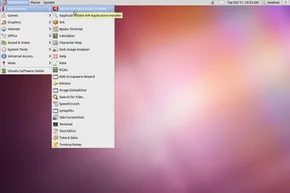
The Linux Kernel Under the Hood
Ubuntu isn’t just another skin on top of Windows. It’s built on the Linux kernel, the foundational code that talks directly to your hardware. Without that kernel, your software has nowhere to run. Ubuntu follows the standard rules that hundreds of other Linux distributions use, but it adds its own flavor. It’s a specific take on the same underlying engine.
A GUI That Feels Familiar
You don’t need to memorize a dictionary of command-line codes to survive Ubuntu. It uses a graphical user interface (GUI). Think of it like Windows or macOS. You see icons. You click menus. You use a mouse or keyboard to get around. If you’ve used an operating system before, you already know how to navigate Ubuntu. It’s designed to be intuitive. No steep learning curve required.
Software Ecosystem and Compatibility
The app library is wide. You’ll find productivity tools, media players, and communication apps. Some of these programs are native to Linux and run natively on Ubuntu. Others are compatible with popular Windows software. Microsoft’s Office suite, for example, has web and mobile versions that work well in this environment, and Linux alternatives like LibreOffice handle most day-to-day tasks. You aren’t locked out of productivity just because you switched platforms.
Why Ubuntu Exists
At its core, Ubuntu is Linux. It’s the outward shell that makes the powerful but often intimidating Linux OS accessible to everyday users. It’s an attempt to leverage the stability of Linux without forcing you to become a system administrator. It’s user-friendly. It’s practical. It’s just Linux, but wrapped in something easier to handle.
Try It Without Risk
You can download Ubuntu for free. There’s no cost to try it. You don’t have to wipe your current hard drive to test it out. You can run it from a USB stick or in a virtual machine. See how it feels. Maybe you’ll stick with what you know. Maybe you’ll realize you prefer the open approach. Your next laptop might just run Linux.
Frequently Answered Questions
What is Ubuntu used for?
People use it for everything from casual browsing to professional web development and server administration. It’s versatile.
Is Ubuntu better than Windows?
They are fundamentally different. Windows is proprietary. Ubuntu is Linux-based. Ubuntu often feels faster and more stable. Windows usually offers more native features and broader software support. Neither is objectively “better”—it depends on your needs.
Is Ubuntu OS good?
Yes. It’s a robust operating system with a strong feature set and a large community behind it.