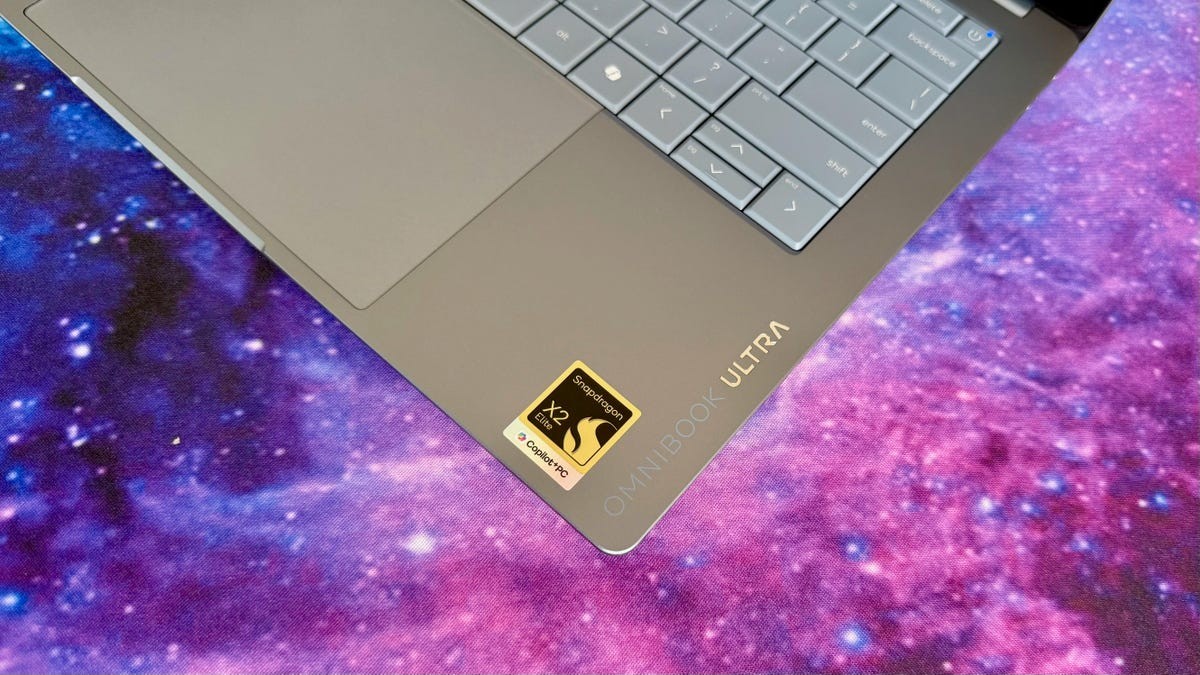
If you had two thousand dollars to spend on a Windows laptop? Grab this one. Specifically the Snapdragon version. I tested the Intel one too, but frankly, it feels like watching paint dry next to the ARM-based sibling. Unless you are deeply afraid of compatibility issues that probably won’t affect you. Most of them won’t.
The build quality? Immaculate. It looks better than it looks. It’s thin. It’s light. And it has a keyboard I actually enjoy hitting for hours on end. The Dell XPS 14 used to be my go-to MacBook killer. Not anymore.
The Config Math
Here is where it gets messy. I reviewed the loaded guns. Sixteen gigabytes of RAM feels like an afterthought these days, but 64GB? That pushes the price near three grand. I saw discounts dip it down to $2,700. Still pricey for a machine without a discrete graphics card.
Most people don’t need that much headroom. Strip back the storage to 1TB. Cut RAM to 32GB. Keep the 3K OLED screen because honestly? The contrast is addictive. Wait for a discount. HP does them. Big ones. I found a setup for $1,980. That is the sweet spot.
The base model starts around $1,900 for the Snapdragon version, though I’ve seen it plummet to $1,200 during clearance madness. That gets you the X2 Plus chip. Solid entry point. The Intel side starts at $1,704 but oddly forces you into a 3K OLED if you want that processor tier.
For those across the pond, it’s £1,500 up in the UK. Australia? You’re looking at roughly $3,000 AUD for the ARM chip or even more for the Intel variant. Good luck.
Speed Or Life?
Performance splits cleanly in half.
The Snapdragon X2 Elite wins on raw CPU power. It beat the Intel equivalent in both single-core and multi-core Geekbench runs. It even edged out the M4 MacBook Pro in multi-core tasks. Not a flex. Just data. Its NPU crushes AI benchmarks. 80 TOPs versus the Intel’s 50 TOPs. The difference is night and day on local AI tasks.
The Intel Core Ultra wins on gaming. And by winning, I mean it actually plays them. The Qualcomm version chokes on Shadow of the Tomb Raider at 35 FPS. The Intel model hits 59 FPS. For Guardians of the Galaxy, it’s 72 FPS for Intel versus 23 FPS for ARM. If you play 3D games, ignore the Snapdragon. Stick to the Arc graphics in the Intel model.
But battery life? That is a bloodbath for the Intel chip.
The Snapdragon model lasted 19.5 hours streaming YouTube. The Intel model trailed by two hours. The M4 MacBook Pro? Nearly 23 hours. Still the king of efficiency. But on Windows? The Snapdragon wins by a wide margin.
“If you care about gaming, buy the Intel. If you care about working away from an outlet all day, buy the Snapdragon.”
Design: Sharp Edges
HP calls this Stone Blue on the Snapdragon model. Eclipse Gray or Silk Sand on the Intel models. I got the Silk Sand. It looks like rose gold if you squint. Add twenty dollars to get it. Why not?
It’s small. 2.8 pounds. That is lighter than the MacBook Pro 14. Lighter than the Dell XPS. Almost as light as a MacBook Air. But smaller? No. It has slightly larger bezels. It’s thick, but only by a hair. About half an inch.
The shape is unique. The bottom panel dips in. It looks like it’s floating. It’s actually incredibly ergonomic to carry. You slip your hand under that concave shelf and it lifts up effortlessly.
Then you touch the edges.
Ouch.
Every side of this laptop is sharp. Square corners. Top and bottom. They dig into your palm. They dig into your thighs if you sit it on your lap. On a MacBook, the bottom edges are rounded. Not here. This thing wants to leave a mark. And the shiny polished metal on those edges? It scratches. Do not let this near your keys.
Inputs That Actually Work
The keyboard is the highlight. Seriously.
It looks like a standard matrix, no gaps between keys. But HP sculpted them so they feel separate. Deep travel for a thin lid. Not mushy. Quiet. I typed this review on it. It’s one of the best laptop keyboards of the year. Better than Dell’s. Better than Lenovo’s recent attempts.
The trackpad? Massive. Spans from the keyboard all the way down. Haptic feedback is snappy. Customizable. Good stuff.
The screen? A 3K OLED. Touch supported. 460 nits measured in my room. Rated for 500, which is a lie, but who cares? The blacks are black. True black. Movies pop. Netflix looks incredible. Speakers are decent for a slim wedge. Clear dialogue. Surprising punch for crowd scenes in football matches.
Cameras are fine. 5-megapixel 1440p webcam. Sharp colors. Windows Hello face unlock works fast. No fingerprint reader, so your face is the key. Literally.
Ports? Minimalist nightmare. Three USB-C 40GBps ports. One headphone jack. No HDMI. No USB-A. You will carry adapters. Or you will adapt your life. Your choice.
Verdict
Do you need the fully loaded 64GB model? No.
Do you need this laptop? Probably.
The OmniBook Ultra 14 solves a specific problem. It gives you MacBook-tier battery and build quality but on Windows. If you want the Snapdragon model for battery life and CPU speed? Buy it. Just track the price. Wait for the drop. HP slashes these things by $600 sometimes. Do not pay full retail.
If you need to play Call of Duty or run heavy x86 workloads that choke on ARM emulation? Get the Intel Panther Lake model. It’s faster in those niche tasks. But accept the shorter battery life.
There is no perfect choice here. Only trade-offs. Pick your poison. Then hope the price drops while you sleep.