


How #Bitly Short Links Improve Marketing ROI and Track Clicks
Short links are no longer just for convenience. These are the backbone of modern digital tracking. Bitly has established itself as the go-to tool for converting long, heavy URLs into clean, manageable strings. Whether you’re running a social media campaign or just sharing the resources you need to look tidy, its usefulness is undeniable. It’s cloud-based, so you don’t need to install heavy software to get started. Instead, it resides in your browser or on the web and syncs instantly.
The appeal is simple. Simplicity drives adoption. But behind this simple interface is a powerful engine designed to analyze and reach. It’s not just about shortening addresses. You get data. There is real value here for marketers and content creators who need to prove their worth.
URL shortening and parsing mechanism
Why use short links? This is not just a matter of aesthetics. It’s about control. When you create a shortened URL, you don’t just change the address. you are creating a tracking point. Bitly records engagement data in real time. You can see exactly how many people clicked. You can see where they come from geographically. You can tell if it’s mobile or desktop.
“Bitly enables statistical tracking of engagement, including number of clicks, geographic origin of users, devices used and effectiveness over time.”
This visibility comes quickly. For community manager, this means knowing which post are resonating. For the sales team, this means knowing whether the prospect actually opened the email. This system works by redirecting short links back to long URLs. However, the data is saved at the time of redirection. Invisible to the end user, but very important to the strategist.
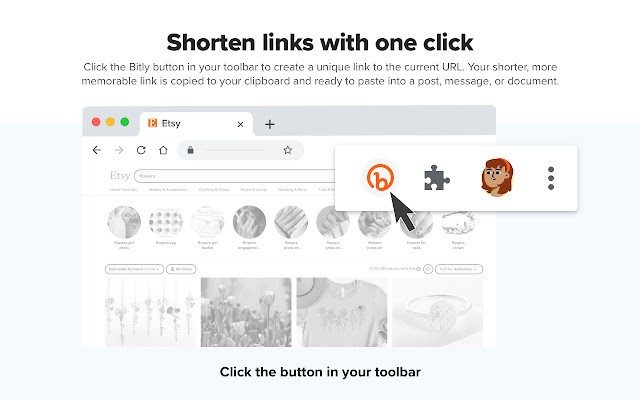
The service is directly integrated into major browsers such as Chrome, Firefox and Edge. After installation, an icon will appear in the address bar. Click here to shorten the URL of the current page without leaving the tab. It’s a fluid. It won’t interrupt your workflow. Just make your links smaller and smarter.
QR code and physical digital bridge
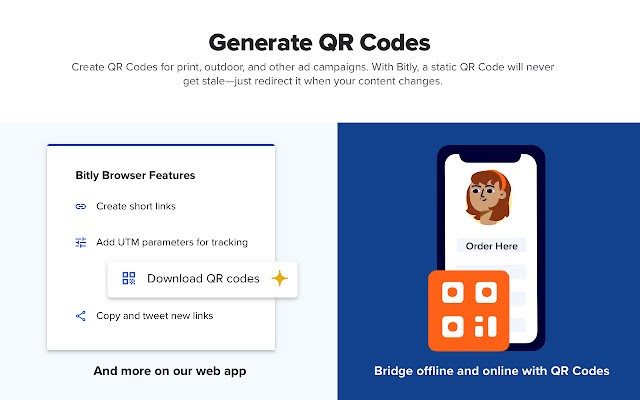
Bitly is more than just web links. They extend to QR codes and bridge the gap between the physical world and digital content. Think packaging, posters and product labels. QR codes allow customers to easily navigate from a physical object to a website without entering complex addresses.
This is especially useful for campaigns that span offline and online channels. You print flyers. Add a QR code. People scan it. Track your scans. This is the same analytical engine used in a different medium. QR codes are created directly on Bitly’s dashboard, so everything stays in one place. There is no need to use third-party tools to disconnect your data.
Installation, Compatibility, and Setup
Getting started requires no technical expertise. The primary method is through the web interface. create an account. From there you can manage your links, view analytics and generate QR codes. You can use browser extensions to speed up access. These are lightweight. They are automatically updated through your browser’s extension manager. You don’t have to worry about version control or compatibility issues with operating systems like Windows, macOS, and Linux.
Mobile users are not ignored either. Although this extension is desktop-centric, the web interface is fully responsive. Available for Android and iOS devices. Shorten links and check statistics anytime, anywhere. This service is platform independent by design. It is meant to be used anywhere and on any device.
There is no traditional “installation” ie downloading a large executable file. The code works on Bitly’s servers. The browser works only as a client. This means that updates happen instantly. You can always use the latest features without lifting a finger. If you need to rollback a extension version, you can look in your browser’s store archives, but this is rarely necessary. The service stays up-to-date in the background and spreads improvements to everyone.
Why it matters to everyday users
Most people never look at their analytics dashboards. They just look at the link. But this simplicity is intentional. Long URLs with tracking parameters look suspicious. It screams “spam” or “tracking pixel”. A clean Bitly link makes them look professional. It builds trust.
For companies, it’s about responsibility. In a digital environment where attention is the scarcest resource, it is important to understand where it goes. Bitly provides that clarity. Turn guesswork into measurable action.
The ecosystem is tight. Links, QR codes and analytics in one account. This reduces friction. You don’t need to use five different tools at the same time to manage one campaign. You are using one platform that handles the heavy lifting.
This is not magic. This is infrastructure. But when infrastructure becomes invisible and reliable, it feels like magic. The question isn’t whether you need short links. The question is, can you afford to ignore the data they provide.

Let’s talk about the cost of doing business with links. Bitly isn’t trying to be a free utility for everyone. It’s a tiered ecosystem designed to catch you at every stage of growth. You start with the free tier. It gives you 100 short links a month. That’s it.
But don’t sleep on it. You get history. You get basic performance reports. It’s enough to test the waters or handle a quick newsletter blast. What it doesn’t give you? QR codes. And certainly not the deep-dive engagement stats that marketers crave. If you need those, you have to pay up.
The jump to paid plans changes the game entirely. We’re talking Premium or Business tiers. Monthly or annual billing. The quota explodes from 100 to thousands of links. But the real value isn’t in the volume. It’s in control.
Why custom domains and analytics matter for brand trust
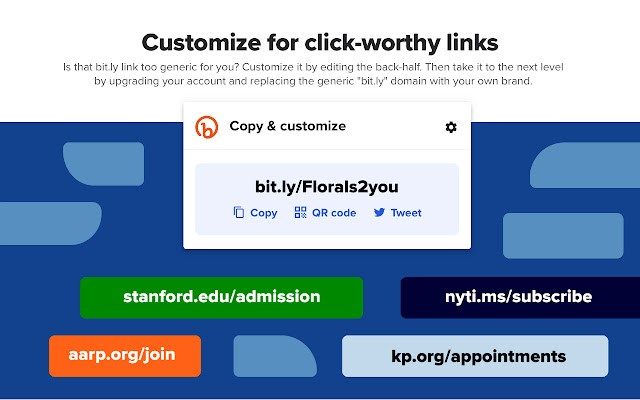
You can start using your own domain with the paid options. This isn’t just a vanity feature. It’s about trust. A link that looks like yourbrand.co/campaign converts better than a generic bit.ly/3xYz9. Agencies and institutions use this to keep their brand front-and-center. They track every click. They segment audiences. They see where visitors come from geographically.
This level of detail is why businesses stick with Bitly. It’s not just about shortening a URL. It’s about measuring ROI. Can you see which channel drove the most sales? With the advanced dashboards, yes. TinyURL doesn’t offer this depth. Ow.ly is locked behind a LinkedIn ecosystem. Rebrandly is close, but Bitly’s interface just feels more robust.
For schools and universities? There’s no special student discount right now. But the free tier is open to anyone with a valid email. It’s accessible. It’s simple. No official certification courses exist yet. You won’t get a Bitly-issued diploma. But there are plenty of webinars and tutorials online. The platform is intuitive enough that you probably won’t need a manual. It’s designed to be picked up and used immediately.
How Bitly compares to other URL shorteners
The core utility remains the same: turn a messy, long URL into something clean and memorable. Short links are viral catalysts. They fit in tweets. They look professional in emails. But in digital marketing, they are data goldmines.
Bitly tracks performance in real time. You see click-through rates. You see visitor profiles. You adjust your strategy on the fly. If a link isn’t working, you kill it. If another is peaking, you double down. It complements automation tools and project management platforms naturally.
Why choose Bitly over the rest? Simplicity. And infrastructure. It’s not just a script running on a cheap server. It’s a secure, scalable cloud service. Security and privacy are becoming huge selling points. With GDPR and other regulations, you need a provider that takes data compliance seriously. Bitly offers that guarantee. Competitors often lag here.
There’s no desktop app. No native mobile app. This might sound like a limitation, but it’s actually a design choice. Bitly is web-first. Extensions for your browser do the heavy lifting. Updates happen server-side. You always have the latest version. No licensing fees. No compatibility issues. No updating software on your laptop. The cloud handles the maintenance. You just click and go.
This approach ensures consistency. Whether you’re on a Mac, a Windows PC, or a tablet, the experience is identical. It’s stable. It’s reliable. And for teams collaborating on campaigns, that uniformity is worth more than a flashy desktop icon.
The market is crowded. New tools pop up every year. Most die out or get acquired. Bitly remains because it solved the problem of link management before anyone else cared about analytics. Now, it’s too entrenched to ignore.
Bitly’s technical backbone
Bitly is more than just a pretty interface. It’s a cloud-based engine built for speed and scale. Not installed on your computer. You are logged in. The service works in your browser and synchronizes between devices via official extensions for Chrome, Firefox and Edge. This approach eliminates the need for local maintenance. Updates happen instantly. Your history and settings are everywhere.
This is important for the team. Marketing and support staff can create links automatically using the REST API. An API key is required. Then integrate it into your existing workflow. result? Seamlessly integrate with business tools without having to write custom code from scratch.
Platform and browser compatibility
The platform is a multi-device design. Responsive web interface handles desktops, Chromebooks, tablets and smartphones. Windows, macOS, Linux, and ChromeOS all work the same way. Mobile use on Android and iOS devices takes place through a browser instead of a separate native application. This reduces the footprint.
Browser support is extensive. Official plugins are available for big players. But what is a core service? It works on modern browsers. You don’t need to be locked into Chrome. The experience is consistent. This is peace of mind if your team uses a hybrid ecosystem.
Security and data processing
Safety is not an afterthought here. Bitly uses TLS encryption for all data transmission. Redirects are based on normal HTTP 301 and 302 status. All this is predictable. It is also transparent to analysis tools. If you share public content, this authenticity is non-negotiable.
You can also use a custom domain name. This adds extra confidence. Users will see your brand instead of the generic bit.ly domain. In a regulated industry, this familiarity can be the difference between a click and a bounce.
Freemium model and limitations
Bitly works with a freemium license. The free tier helps you get started quickly. Paid plans give you access to premium features like branded domains and more detailed analytics. This is a service subscription, not a one-time purchase. That means ongoing costs if you scale.
There are some technical limitations. An active Internet connection is required. Links cannot be resolved offline. The user interface is mainly in English, but you can create links to the content in any language. This is a small sticking point for global teams, but manageable.
Summary of the most important technical information
- Name: Bitly – Powerful short links
- Developer: Bitly Inc.
- License: Freemium (subscription online service)
- Type: Web service + browser extension
- Category: Internet > URL shortening and QR codes
- Operating system support: Multi-OS (web-based)
- Browsers: Chrome, Firefox, Edge (extensions). Modern Browser (Web)
- Connection: Internet is required for creation, analysis and monitoring
- Account: Needed to manage links, QR codes and statistics
- User interface language: English (supports multilingual content)
- Outputs: HTTPS shortened URL, downloadable QR code
- Customization: Nicknames/aliases and brand domains (paid plans)
- API: Keyed REST API. Third-party integration via connectors
- Security: TLS encryption, HTTP 301/302 redirects, custom domain management
- Installation: No local installation. Extensions from the official store
- Accessibility: Responsive web design for all screen sizes
Why this architecture matters to everyday users
You might think that a short link is just a short link. But the infrastructure behind it determines its reliability. Bitly’s cloud model ensures that you always have the latest version available. There are no patches. There are no compatibility checks. Just functionality.
For the average user, this means fewer broken links. For marketers, this means consistent tracking information. The trade-off is dependence on the internet. If Bitly goes down, your links go dark. In most cases, however, the convenience outweighs the risk.
Is it perfect? No. the English-only interface can be annoying. The freemium limits bite once you need branded domains. However, it is the standard for fast, reliable and trackable links. Standards exist for a reason.
The hidden costs of convenience
Think you’ll click “I accept” to continue. But this checkbox is a small loss of control.
Most users don’t read the terms of use. They scroll. They tap. They assume that the big tech giants only have their interests at heart. They don’t. The terms are designed in such a way that they cannot be read. Legal language that withdraws into itself like a snake eating its tail.
Why do companies do this? To protect themselves. And to own you.
When you sign up for the service, you don’t just get a tool. You are entering into a contract that defines your relationship with a company that is bigger than most small countries. The terms describe what information is collected, how it is sold, and how it is used to manipulate your behavior.
Data as Currency
In the modern digital economy, data is the new oil. And you are the well.
Every click, every hover, every second you spend watching a video is recorded. This is not just about advertising. It is used to create a profile. The digital twin of your psyche.
Companies use this information to predict what you will buy. Or vote for. Or believe.
The algorithm doesn’t just show you what you like. It shows you what keeps you engaged. Rage. Fear. anger. These feelings promote interaction more than joy or calmness.
That’s why your feed feels like a funhouse mirror. It reflects your biases back at you, amplified.
The illusion of choice
Do you think you have a choice. Download this browser. Use this search engine. Stay loyal to this social platform.
But the underlying infrastructure is controlled by a handful of companies.
Cloud storage. Content delivery networks. Identity verification. Even if you try to leave the ecosystem, the pipes belong to the same giants.
Changing services is like changing the brand of soda. The bottles look different. The taste is the same. The underlying supply chain is identical.
True independence is harder than it looks. It requires technical know-how. Time. And a willingness to miss out on conveniences that are built on surveillance.
What exactly can you do?
The system cannot be dismantled overnight. But you can chip away at it.
- Use privacy-focused browsers that block trackers by default.
- Turn off location services when you don’t need them.
- Read the Privacy policy once a year. First and last page only. Get the gist.
- Support open source software where possible.
These actions do not make you invisible. No one is invisible anymore. But they make monitoring difficult. More expensive to monitor.
Perfection is not the goal. It’s friction. Make it difficult for algorithms to get a clear picture of who you are.
The end of privacy?
Privacy is not dead. It’s just expensive.
If you’re willing to sacrifice your attention, data, or time, you can still find pockets of anonymity. But they are getting smaller.
The next update could change everything. A new feature may require additional permissions. The new policy may claim ownership of your posts.
Stay alert. Don’t assume the status quo is permanent.
The code changes daily. Terms are rewritten in real time.
Are you paying attention?


